Tried making steam boiled eggs on my induction burner. Not bad. Such a combination of strange ways to do things.
Month: January 2015
MapUpdated Response Display
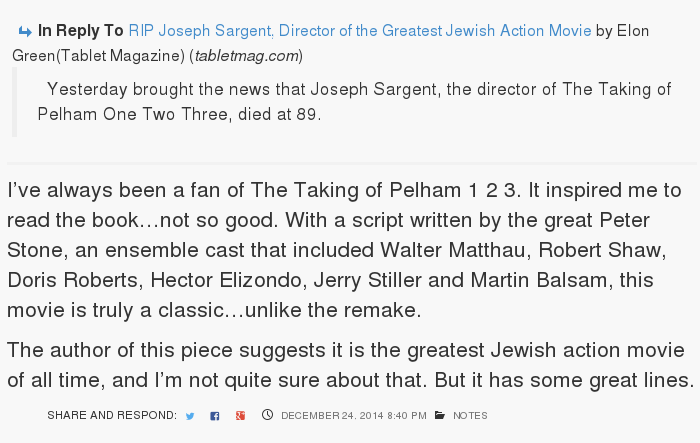 On the 23rd of December, I completed a major update to this site, as part of a commitment to do so by 2015. I often forget to document these changes.
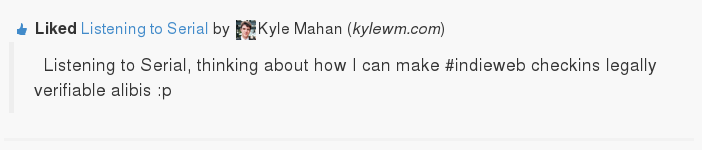
I redesigned and updated the portion of the post that shows what a post is in response to(for those that are in response).
Unlike the previous, this blends in with the background of the post itself, and adds in support for an author and profile picture.
I’ve captured two examples of that in this post for posterity.
More coming, but feedback is appreciated.
Delta Flight 488 to Boston
Post Types, Post Formats, Post Kinds
In my recent development of the Post Kinds plugin, I’ve felt the need to try to explain what exactly a Post Kind does. I needed a way to distinguish the custom taxonomy I’d created. So let’s define the competition for the terms…
- A Post Format is a piece of meta information that can be used by a theme to customize its presentation of a post. Confusingly, the slug for post formats is ‘type’.
- A Custom Post Type is a single item of what is generally called a post, although post is also a specific post type. It is more a custom content type.
- A Taxonomy is a grouping mechanism for some posts.
- A Post Kind is a taxonomy that allows posts to be classified according to the kind of post it is.
So, not so much of an invention as a necessity to distinguish from similar concepts
They have gone through some changes. But, at the moment, they are designed as a drop-in replacement for post formats. There are actually many good reasons why the WordPress developers decided a set of standardized formats would make sense…most notably the ability to change themes without losing your customization. Fewer and fewer people are using post formats, however.
Indieweb Post Kinds are designed the same way. The two can exist simultaneously, but you are better off disabling formats in favor of a single solution.
As more and more sites incorporate concepts like “Like’, ‘Favorite’, and so on, one’s own site should support these. This allows for that.
The plugin supports sending webmentions via the WordPress Webmentions plugin, to send notices to other sites you might be ‘liking’, replying to a post on, etc…assuming the other site supports it. But more and more indieweb sites are doing so.
Trying a new way to subscribe to my content…the old school way. I wanted to test out the Postmatic service, so you can now scroll down to the bottom of the page, and subscribe to this post by email.