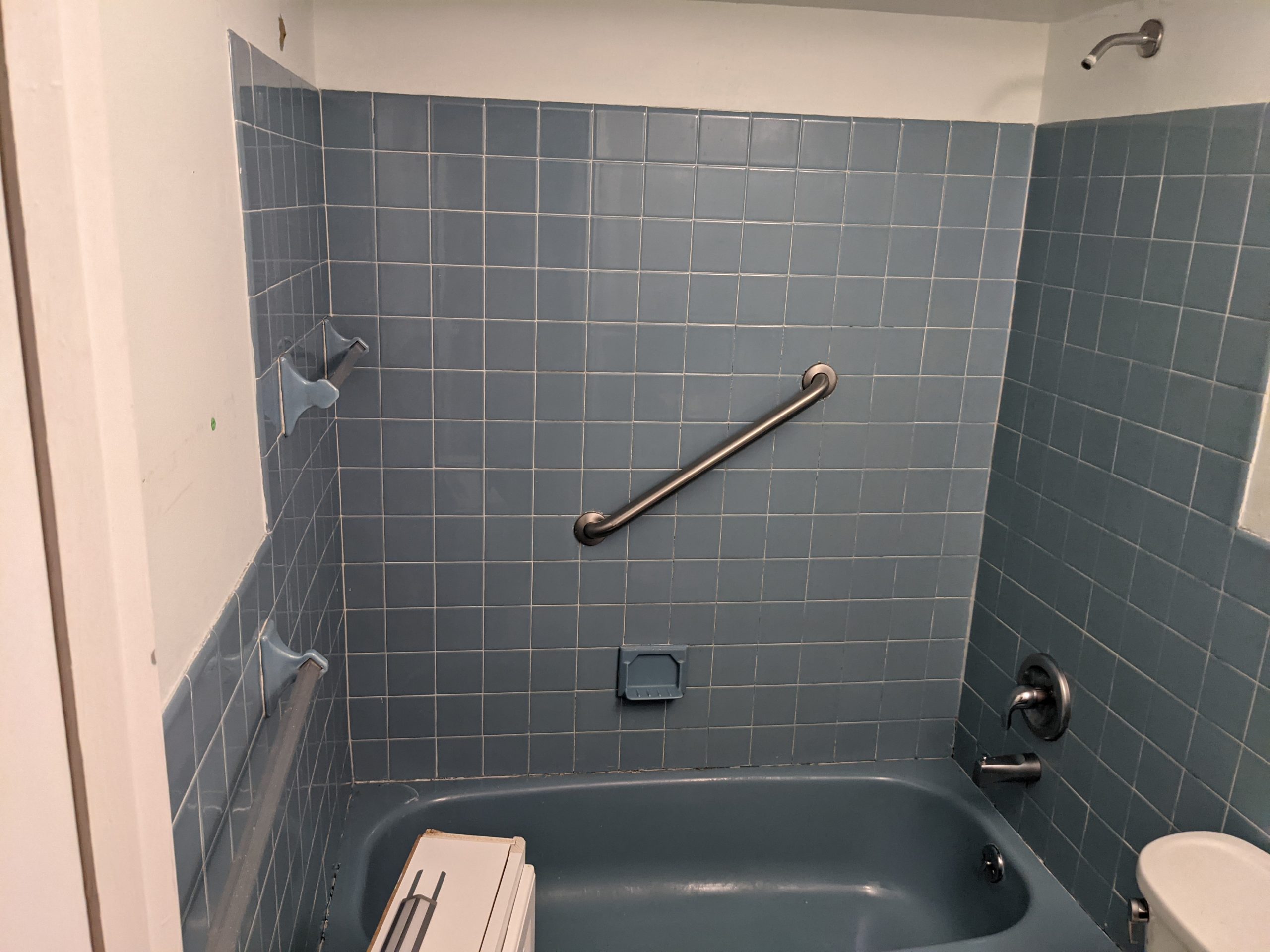
At the end of last month, for a few days, I had my bathroom fixed. It isn’t visible in the pictures, but the metal tub was rusting through around the drawn, and there were other issues.
The bathroom had a half tile wall around, a soffit over the shower where ductwork ran from the building heating system to the exterior vent, and a few other challenges.
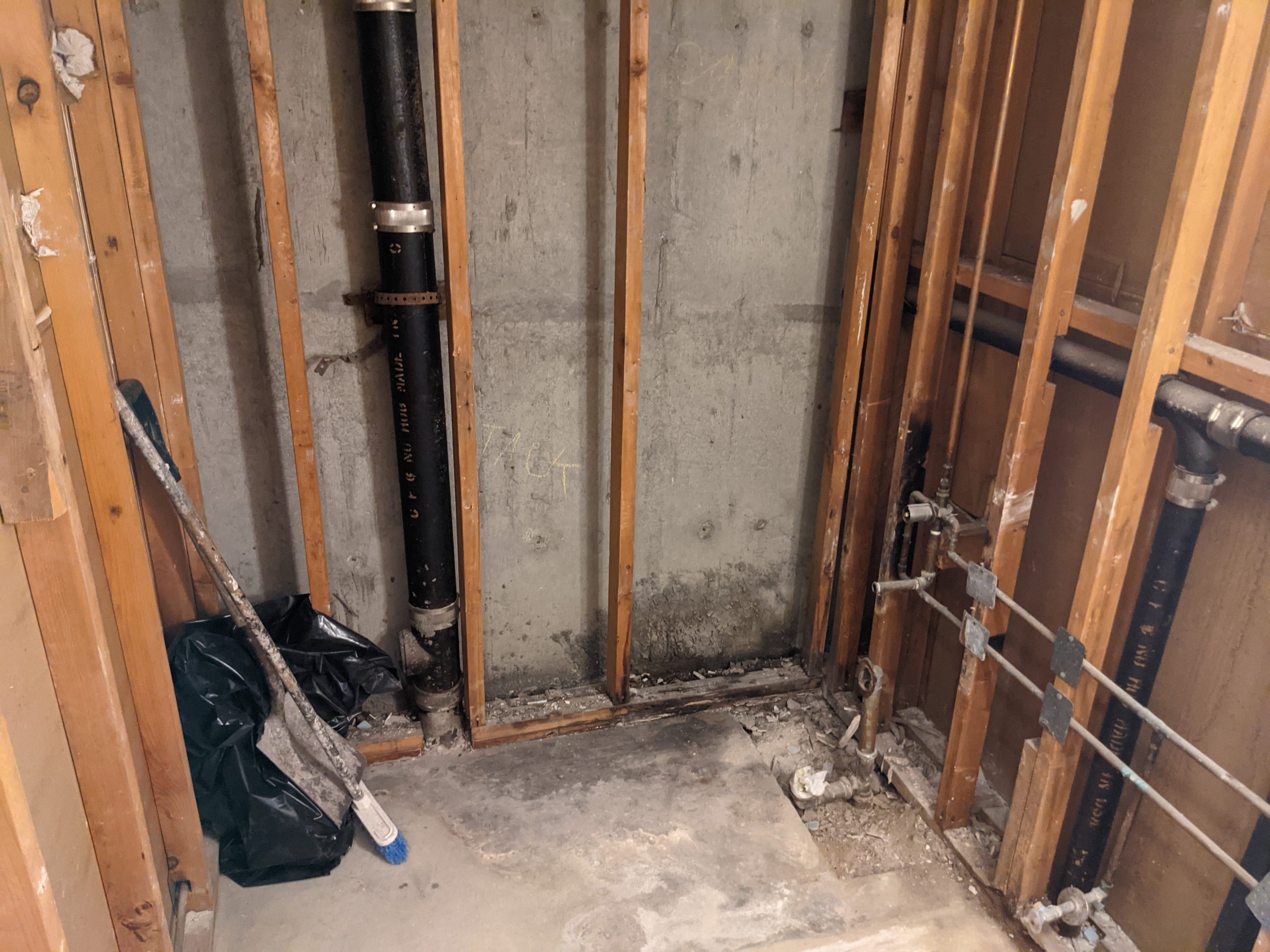
The renovation gutted the bathroom down to the studs and the cement, where I discovered there was none under the drain…just dirt, and the source of one of the problems. There was leaking from the bathroom above, which had to be fixed as well.
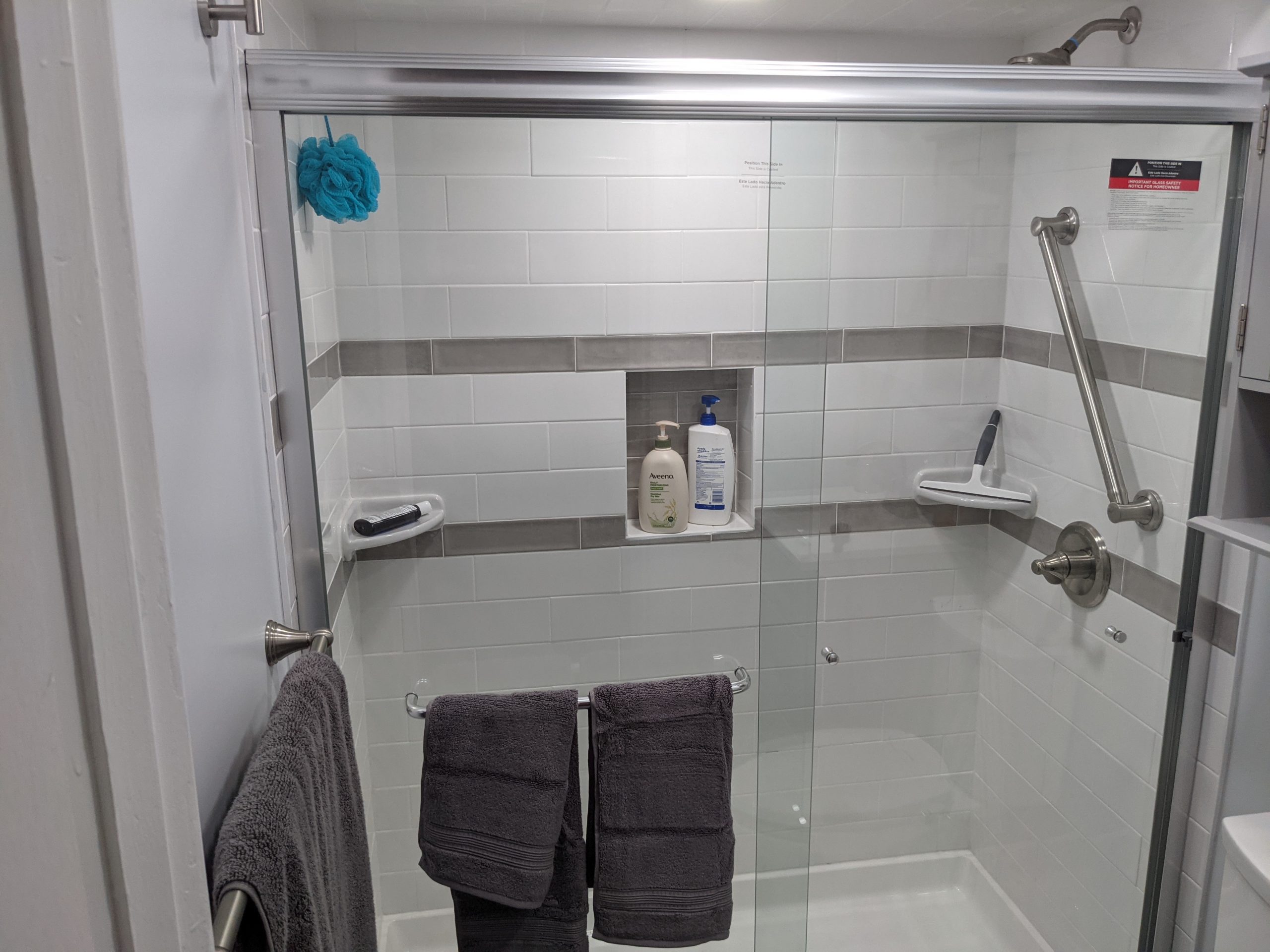
The bathroom was original to the building, built in 1976, while the blue was a nice enough color, it made it hard to replace easily. I had no spare tiles. So, in replacement, I opted to only retile the shower stall itself in white subway tile(something easily to get for years to come), and just replace the sheetrock elsewhere, so it could be repainted in a few years as needed.
I’m too tall for the bathtub, so hadn’t really used it, so went with a shower pan and doors.
This is a small bathroom, so I also had the floor retiled in black slate, and replaced the toilet(which was last replaced in the 90s) with a dual flush toilet…which was illegal in New York City till 2010, and a mechanical bidet toilet seat. I previously had added a mechanical bidet attachment. While some people have issues with bidets…I save a lot of toilet paper by using it.
Mechanical bidet seats, or attachments work by splitting the cold water intake on your toilet. The fancier models may branch off your hot water, or may have electric features, but that was unnecessary for my purpose.
The biggest change to the bathroom that I’d wanted for years was electrical.For one, I have an outlet inside the cabinet over my toilet, which allows me to charge my shaver and electric toothbrush inside.
There was originally a single light fixture over the sink. That is gone, replaced by three ceiling lights. These are disc lights, which are the latest replacement for traditional recessed lighting. A hole is still cut in the ceiling, and a junction box placed inside to convert to the appropriate voltage, with the disc light being connected and clipped into place. This allowed for one to be inside the shower itself, which was always dark, one in the middle of the room, and one over the sink. They are also temperature adjustable, if you remove them and adjust a switch, if I wanted.
Finally, the switch for the exhaust fan was replaced with a timer switch with a built in humidity sensor, so it can be safely left on till the humidity returns to lower levels. I previously just used a timer switch, this gives it a little more intelligence.
I think the final result turned out well. Nothing I bought was particularly expensive, individually, and I tried to pick things that I thought would hold up. I even got them to run a network cable through the wall between the rooms on either side, for future proofing, before they sealed it up.
Mr. Asner starred on the TV comedy “The Mary Tyler Moore Show” and later on the spinoff series “Lou Grant.”
I got several near chances to meet Mr. Asner at public appearances, and jumped at the chance, but it never worked out. Despite being of the wrong generation to watch Mary Tyler Moore and Lou Grant, I watched them in reruns. I recognized him as a voice actor, etc. He was acting up until the end and still has voice roles that have yet to come out. I am sad I will not be able to enjoy future work from him.
First he discovered a long-forgotten rail tunnel. Then he spent decades trying — in vain — to revive Brooklyn’s trolley system.
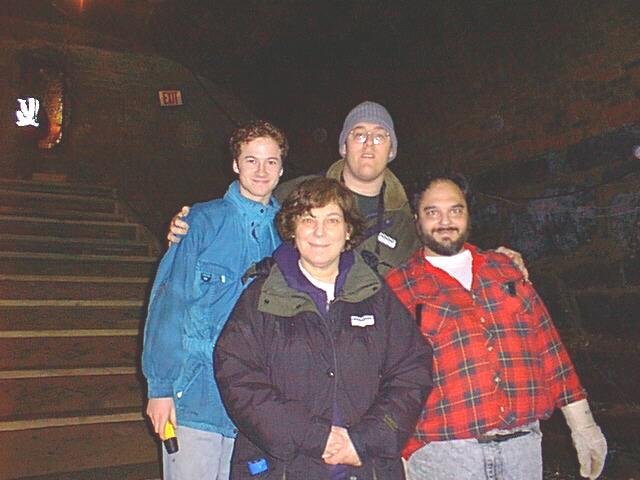
Just found out about Bob Diamond’s passing. I had the pleasure of going on one of the tours of the tunnel he rediscovered when I was in high school, even bringing one of my teachers along. I later went to visit the warehouse where they were working on the trolleys for his plan. It had been many years since I had seen him, and while he was an imperfect individual, I appreciated his vision.
It’s finally time to finish this narrative. It’s only taken me six months of procrastination.
Thursday, June 11, 2015
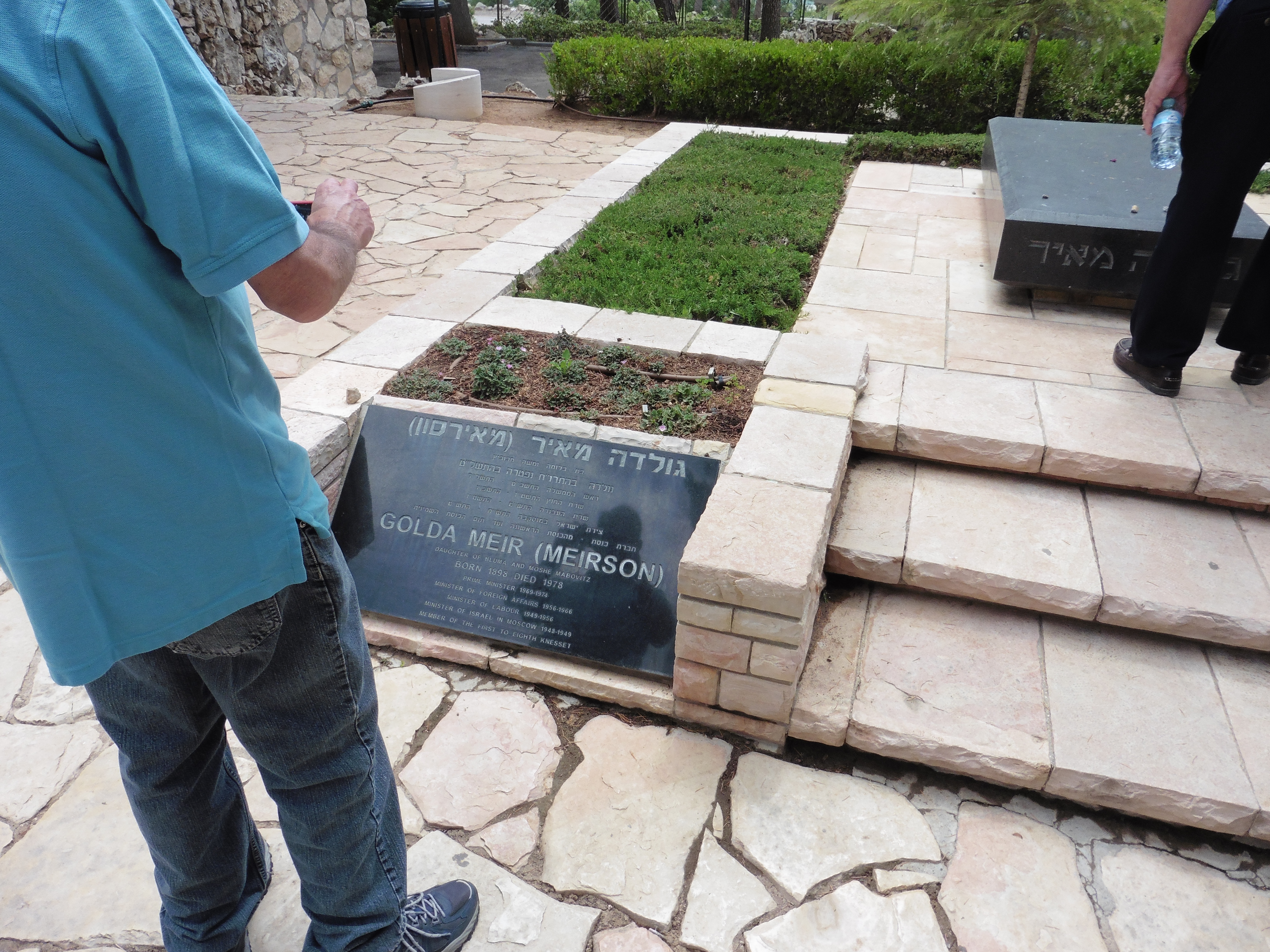
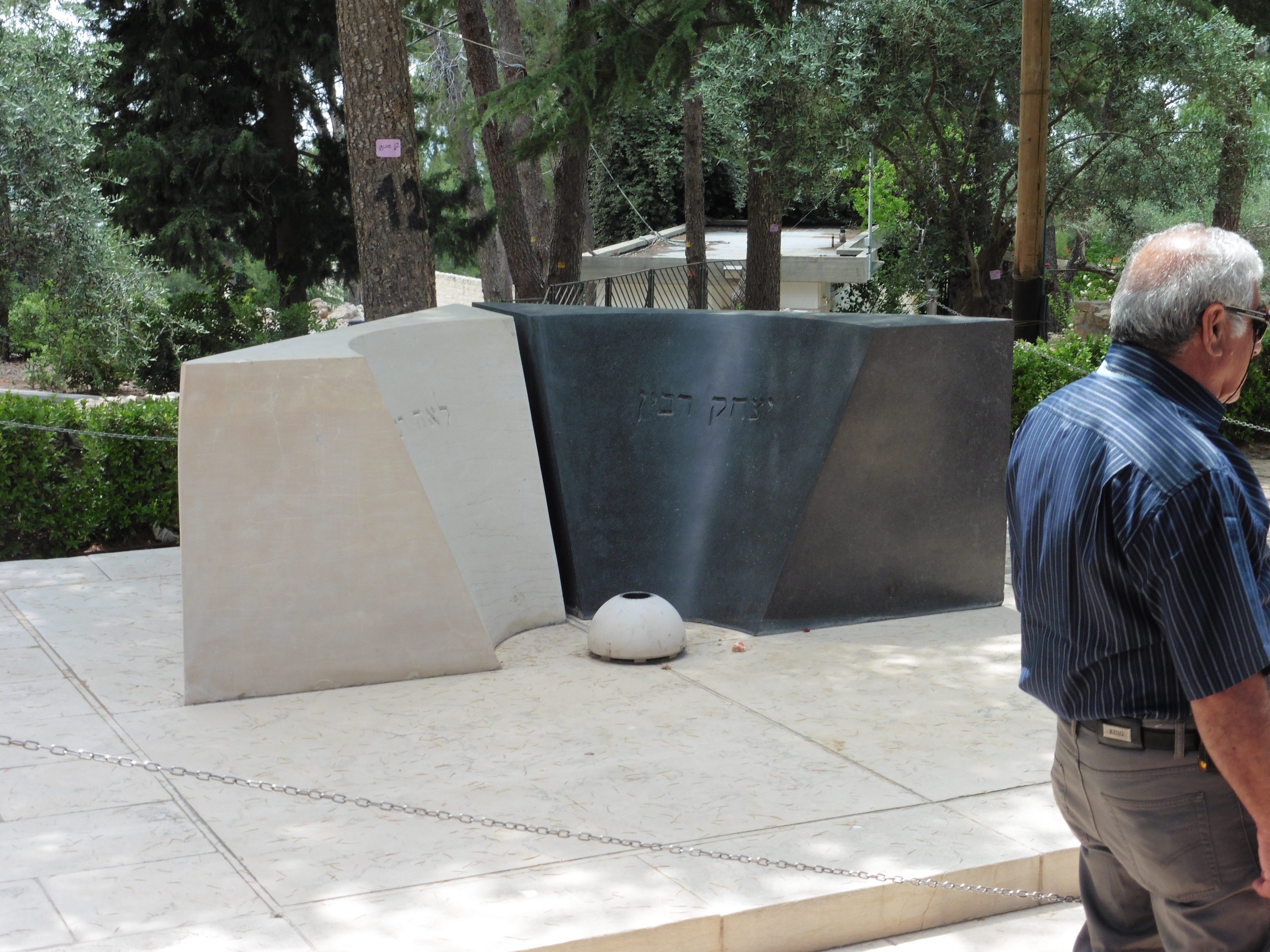
The grave of Golda MeirThe grave of Yitzchak Rabin and his wife. It is differently shaped than the rectangles of the other graces in this cemetary, as Rabin was assassinated.
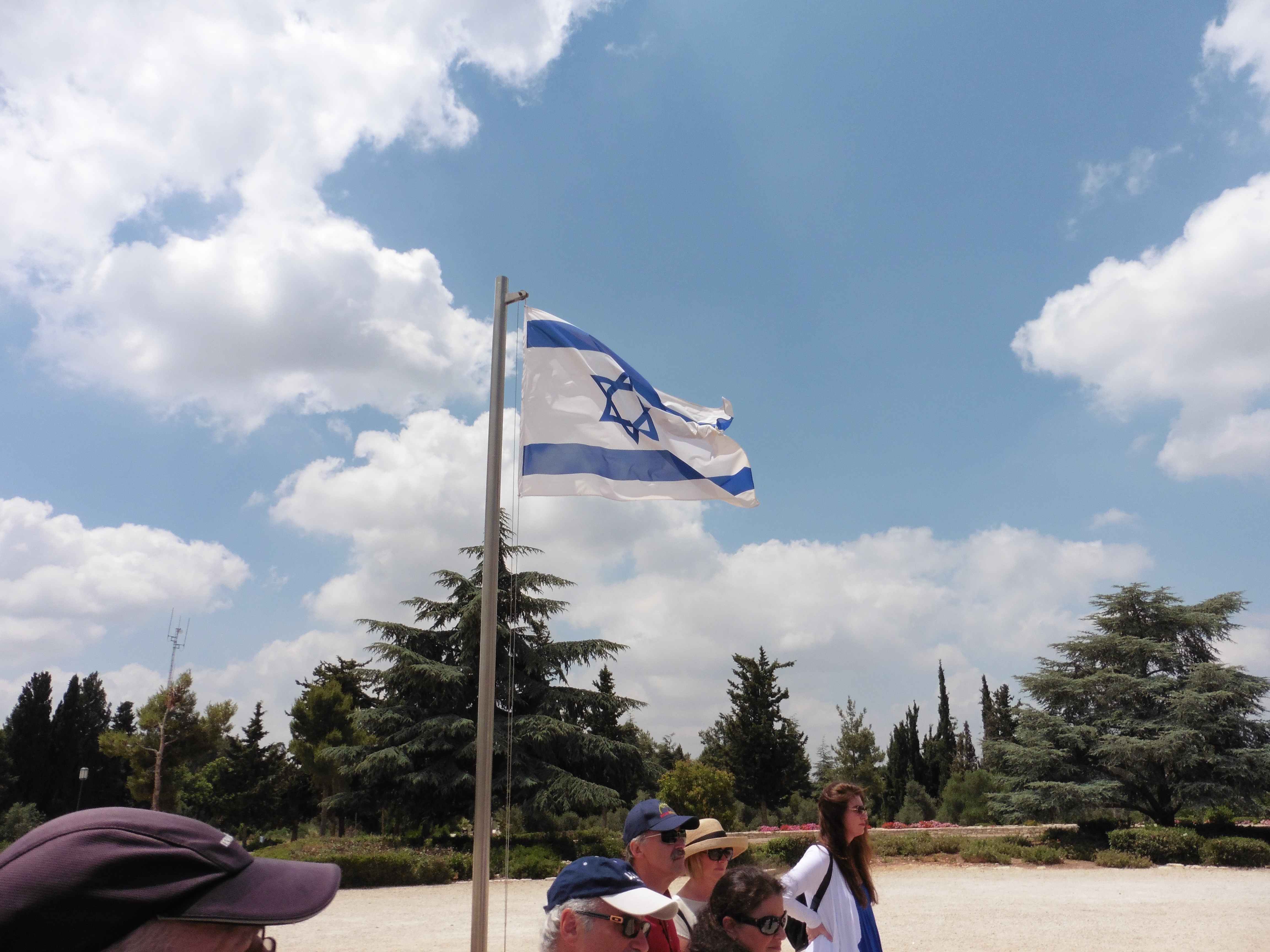
Mount Hertzl National Cemetery is the equivalent of Arlington for the United States. The cemetery contains not only people who sacrificed their lives for the state of Israel, but state leaders. The Presidents and Prime Ministers of Israel, as well as Speakers of the Knesset can be buried here. Teddy Kollek, the mayor of Jerusalem from 1965-1993 is also buried here.
Near the cemetary is Yad Vashem, established in 1953 and contains the Holocaust History Museum, the Children’s Memorial, the Hall of Remembrance, and several other exhibits. My photos at Yad Vashem were limited. Photos are not permitted in several parts of the complex out of respect for the subject.
A new museum was dedicated in 2005 which consists of 10 exhibition halls, and thus the Yad Vashem I had visited in 1999, and my father had visited in the 1970s had been transformed.
It is hard not to be silenced by the weight of the Holocaust. The Children’s Memorial is a tribute to approximately 1.5 million children who perished. Inside an underground cavern, light is reflected into infinity while the names, ages, and country of origin of murdered children are read.
The Hall of Names is a room in which the Pages of Testimony…short biographies of each Holocaust victim, are contained. Over two million pages are stored in the room. The ceiling of the room consists of a cone in which 600 photographs showing the diversity of those who were lost reflect into a pool below.
After a long day of touring, we returned to the hotel, ate at a place across the street that we saw, and went to bed for the final touring day
Friday, June 12, 2015
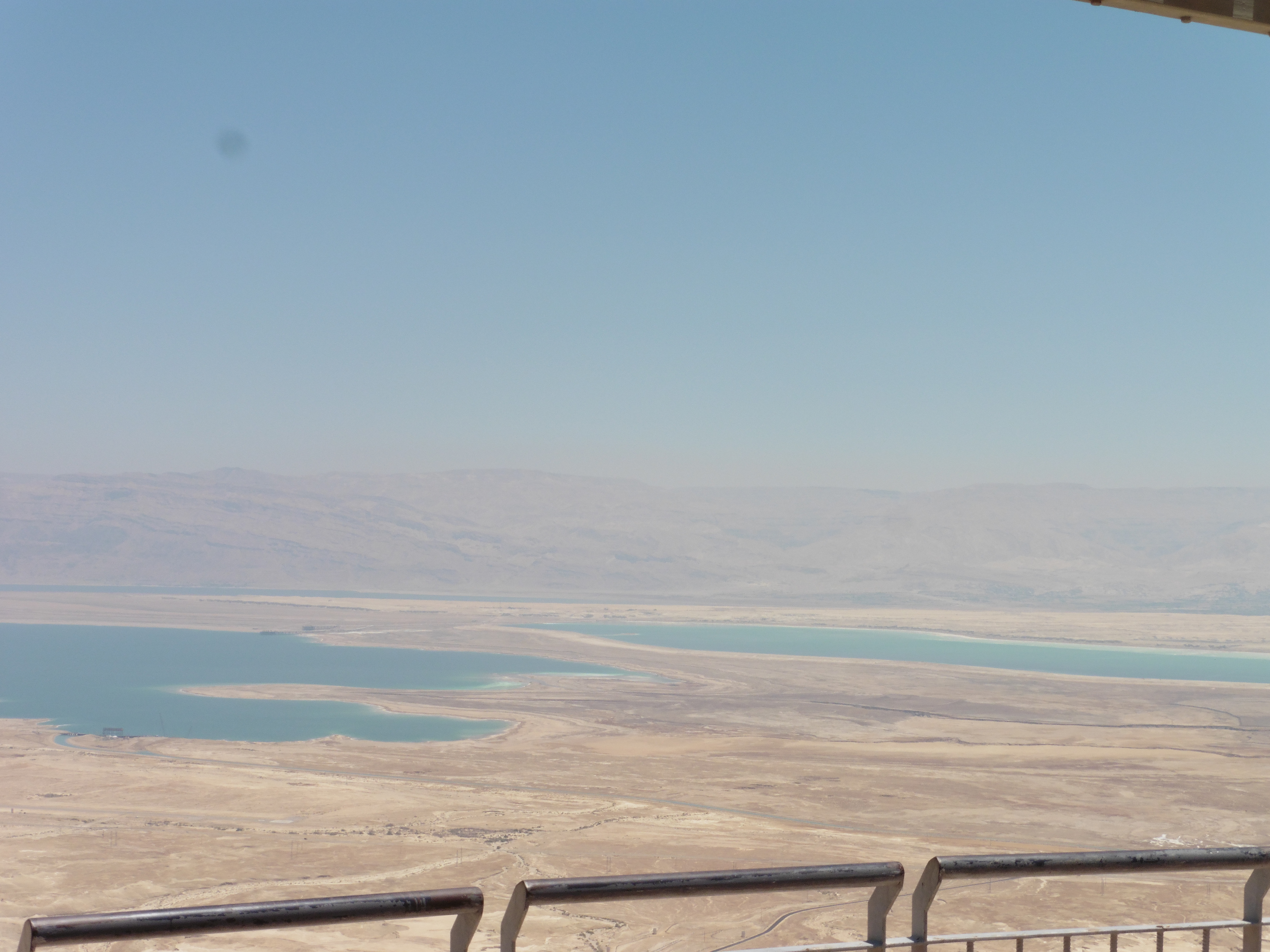
View from Masada
Masada is an ancient fortification built by Herod the Great. Almost all information regarding Masada comes from Roman historian Josephus. Herod himself, from most reports, never spent any length of time at Masada. The fortress is built on a plateau. The cliffs on one side are 1300 feet high, and on the other 300 feet high. The approaches are all rather difficult.
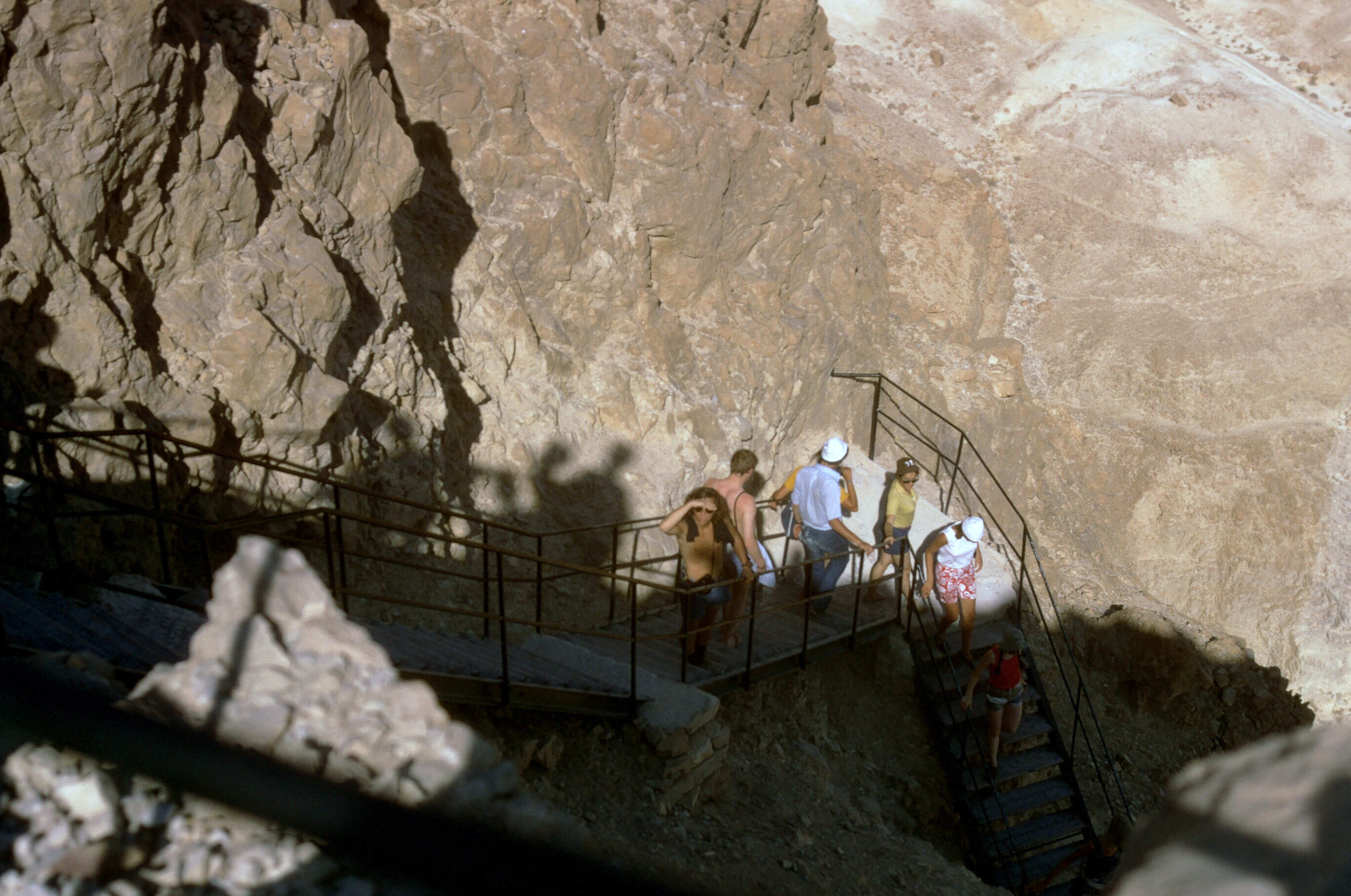
Masada is accessible by cable car as well as two hiking paths…the Snake Trail which is gains 980 feet in elevation over its length, and the Roman Ramp which is less steep. We took the cable car to the top. I have a long discomfort with heights, and I think I have satisfied my desire to see Masada for a long while.
The Walk Up, 1970s, courtesy Warren Shanske
In 73CE, the Romans laid siege to Masada for several months. They constructed an assault ramp, built a giant siege tower with a battering ram, which they ultimately used to breach the walls of the fortress. The Romans employed some 15,000 troops at Masada. To prevent the rebels inside from attacking those building the ramp by throwing stones down at them, the Romans used Jewish prisoners to construct the ramp.
When the Romans finally breached the walls, they found that the 960 inhabitants inside had set all the buildings inside on fire and committed mass suicide. Only two women and five children were left alive. The figure of 960 comes from Josephus, although there have not been that many skeletal remains found. Inside Masada, they have unearthed 28 people, and at a cave at the base of the cliff, another 24. Josephus was not actually at the siege of Masada, and got his information from the accounts of the Roman Commanders, so there is a distinct possibility of inaccuracies.
After Masada, we headed toward lunch and the Dead Sea, with a stop at the Ahava factory. Ahava makes beauty products out of dead sea minerals. We hadn’t done much in terms of purchasing on the trip, but we did purchase some gifts there at a factory discount. I was recently in Costco. They were carrying an Ahava warehouse pack…I could have saved some space in my suitcase.
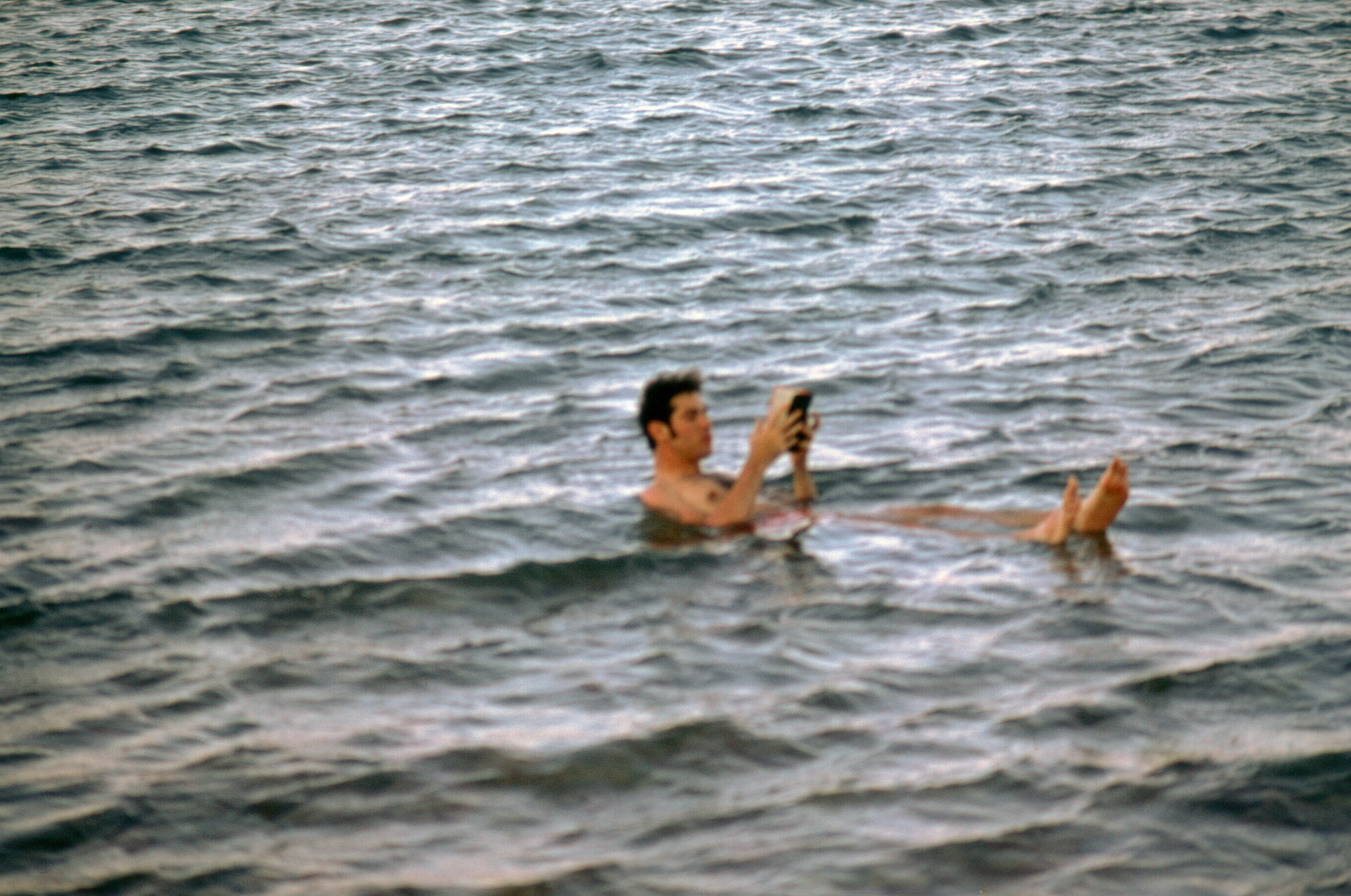
Warren Shanske floating on the Dead Sea, 1970sWarren Shanske, Dead Sea, 2015
The Dead Seat is 1407 feet below sea level and is bordered by Jordan and Israel. It is one of the saltiests bodies of water in the World. Because of its density, trying to swim is much more like floating. There is concern about the future of the Dead Sea as in January of 2015, it was reported as dropping by three feet a year.
We accessed the sea via one of the hotels, where we had lunch and where we had access to their locker room and shower facilities, as well as their pool and…of course the sea itself.
After our dip was over, we returned to Jerusalem for Shabbat. On Friday night, we attempted to attend services in the hotel, but despite being there at the posted time…no one showed up but us.
Saturday, June 13, 2015
After the lack of services the previous evening, we decided to try the Great Synagogue of Jerusalem, which happened to be a short walk away. The building opened in 1982 and the sanctuary holds 850 men and 550 women. However, we never saw it. When we arrived, we were trying to find services, and wandered into another synagogue that is in the Great Synagogue building, the Heichal Jacob Synagogue, which is a small Sephardic synagogue in the building, and ended up attending that.
It is interesting to me, that despite the differences in tradition even from Sephardic services in the United States I’d attended, I could follow the service after I got used to the accent. In my experience, a blessing by the Kohanim is only done on holidays, but apparently in this tradition, they do it every Shabbat. At the end of the service, we were asked to smell a plant on the way out.
After services, we had lunch and took a walk, then rested up for the flight home.
The plane arrived later than scheduled on Sunday, and I was at my desk working that afternoon.
Conclusion
Obviously, I did take many more pictures than I showed in this ten part series. They may make a reappearance in future.
As a teaser, coming soon(or someday), I will be adding a trip log of the events of April 10 through April 25, 1999, when I participated in the March of the Living. I had mentioned previously they had ‘encouraged’ us to transcribe the trip and I dug up those notes and the images of same.
Back in the Day
Feeling nostalgic. This came out of my recent 1200+ photo bulk scan.
Bought a photo scanner with an automatic feeder. Back in 2013-4 I paid for a service to scan thousands of family photos. Then I found more. This time, doing it myself. Went through 1200 photos in a day.
I’m often adding features and functionality to my website. A location tweak, a new link, etc. But it’s been a while since I did anything major to the layout.
When I initially heard about dark mode support, I decided to wait until there was more support, then I just didn’t get around to it. It became a thing for applications to have dark modes, then dark modes that would activate based on a global system prference.
So, now my site, if you set your system to prefer dark mode, will show you a dark version of my site. Otherwise, it will show you a light version. I took a lesson from Jeremy Keith, who did this two years ago, and used something called CSS Custom Properties…another thing I haven’t used.
My WordPress theme is based on the original Twenty Sixteen WordPress.org theme. I ported back select improvements made from _s, the starter theme it was based on, as well as subsequent WordPress.org themes, such as Twenty Seventeen through the present.
There are a lot of other little tweaks I had to make in both this, and the plugins I develop for WordPress to support this. Style improvements, filters to add for additional functionality, etc.
It is still a work in progress, and I have other ideas and plans, but it is live. See if you can find all the other little tweaks.
Rosemary Orchard challenged me to talk about what tools I use. To start, I decided to go over some of the things I’m bringing to the Indieweb Summit this weekend.
Computer
Dell Inspiron 7370 – This is a 13.3″ laptop running Linux which I bought open-box. As I spent more time away from home, I needed something that wouldn’t slow down under load.
Eleduino 13.3 Inch 2K HDMI Portable Gaming Monitor – There are a variety of these available on Amazon and other sites. I use this as a second monitor for trips.
Kabcon Quality Tablet Stand – This is a bit more stable then the tiny stand that came with the gaming monitor. It is designed to hold larger tablets.
Royal Kludge RK61 Wired/Wireless Keyboard – This will be this keyboard’s first trip. It is a new mechanical keyboard, even smaller than the previous one I carried, that doubles as a bluetooth keyboard.
Travel Gear
Lectrofan Mini – I use the full sized version of this at home, and used to carry it around. This is a miniature noise generator that doubles as a bluetooth speaker. There is a new version of this now.
Acer 4K Holo 360 Camera – Also the first trip for this item. I saw it on extreme discount and ordered it. It is a small Android LTE capable device that doubles as a 360 camera. I keep wanting to do more with 360.
Smatree Q3 Telescoping Selfie Stick with Tripod Stand – I use this to hold the 360 degree camera. At the last IWC Austin and last years IWS Summit I used it to hold a webcam for remotely streaming one of the rooms. Will use this to experiment with the 360 camera.
This site runs WordPress, but there was some question as to how I set it up and what I use to run it. It continues to evolve, but I thought I would go over it…specifically how I sent it up for some of the Indieweb stuff I’ve been working on.
Standard Plugins
Character Count for Post Content and Excerpt(Link) – Because I need to be aware of the 140 character limit of Twitter, one of the services I send my content to, I need to know the character count of what I’m typing. This adds that to my editing screen
EWWW Image Optimizer(Link) – It reduces file sizes for images to ensure faster loading
Pushover Notifications(Link)or the forked alternative Pushbullet Notifications(Link) for WordPress – This plugin sends notifications of site events to my phone. The Pushover version is actively maintained and allows for extensions.
Simple Local Avatars(Link) – Overrides the default of using the Gravatar service for profile pictures to storing them locally.
WordPress SEO by Yoast(Link) – While I’m not obsessive about Search Engine Optimization, I find this plugin assists in my writing by reminding me about the importance of certain elements.
Hum(Link) – This is a simple URL shortener. So for each post, there is an equivalent URL address at di5.us. This allows me to give out easier to enter links to longer post titles.
The Indieweb Stuff
WordPress Webmention(Link) – Adds webmention support for WordPress. This allows communications between sites.
Semantic Linkbacks(Link) – Adds richer content to WordPress comments received by Webmention. For example, interprets them as reply, repost, like, favorite, mention, etc. This allows different displays and actions to be done with them
Semantic Comments(Link) – One of my own plugins. It changes the display of WordPress comments based on the information from Semantic Linkbacks. It presents the profile pictures in a Facepile for the various types of mentions with the comments separately below.
Indieweb Taxonomy(Link) – Semantic Linkbacks is all about receiving webmentions for the various semantic types. But this plugin, another one of mine(although I credit several with contributions), adds new terms to WordPress posts for responding to content on another site. So, a post on this site can be a reply to another site, a like, etc. It will automatically send a webmention to the other site, if that site supports it, of course.
Syndication Links(Link) – Another project, which adds fields to a post for the corresponding versions on other networks. It also adds links to same to the post.
H-Card Tools – Still under development and not yet available for download, this is just the profile widget marked up appropriately, in the sidebar of the site.
A Few Choices
There is an alternative to my Syndication Links plugin…a plugin called WordPress Syndication (Link). It automatically adds the links to the post, and extracts the data from a variety of sources that post to other sites. This includes NextScripts Social Network Auto-Poster(Link) or Mailchimp’s Social plugin(Link), and even Bridgy(we’ll get back to Bridgy in a moment).
The theme I use is a custom one I built, but the most popular theme for Indieweb sites is Sempress(Link). My theme isn’t quite refined enough for most people, but if you want it, a copy can be downloaded here. The version in use on my site is just a colored version of the minimal style the theme offers.
Bridgy
Bridgy is not a WordPress plugin, or something you need to install(although you can host it yourself). It is a service that you can link your accounts on places like Twitter and Facebook to, and it will pull in comments, likes, etc from those sites and send them to your site to be integrated. This requires the Webmention and Semantic Linkback plugins to understand what is being sent.
To the Future
I enjoy developing this site as a learning tool. I hadn’t done much WordPress development before this and it is very useful to know.
For anyone who comes here considering trying my setup, I’m always available to help. For those who are trying my plugins…they are still being refined, but feedback and contributions(of code) are appreciated.
This site is under development, so it does change regularly. I will often summarize some of the changes with a post, but sometimes not.
This is an update to my 2014 article on how I set up my WordPress site. It was requested I update it.
Standard Plugins
Character Count for Post Content and Excerpt(Link) – Because I need to be aware of the 140 character limit of Twitter, one of the services I send my content to, I need to know the character count of what I’m typing. This adds that to my editing screen. No longer using this plugin and could not find a replacement.
EWWW Image Optimizer(Link) – It reduces file sizes for images to ensure faster loading
Pushover Notifications(Link)or the forked alternative Pushbullet Notifications(Link) for WordPress – This plugin sends notifications of site events to my phone. The Pushover version is actively maintained and allows for extensions.
Simple Local Avatars(Link) – Overrides the default of using the Gravatar service for profile pictures to storing them locally. However, this plugin hasn’t been updated in years. May look for a new one.
WordPress SEO by Yoast(Link) – While I’m not obsessive about Search Engine Optimization, I find this plugin assists in my writing by reminding me about the importance of certain elements. While this is still a popular plugin and good for many people, it’s become a bit too aggressive for me.
The SEO Framework (Link) – Sometimes, I think about getting rid of all SEO plugins. I’m not really obsessed with this. This does add non-Indieweb markup for some sites that require it. It isn’t worth it for me to manually add this right now.
Hum(Link) – This is a simple URL shortener. So for each post, there is an equivalent URL address at di5.us. This allows me to give out easier to enter links to longer post titles.
JSON Feed(Link) – Adds a JSON Feed to a WordPress site. This is an alternative to RSS as a feed. I’ve used it to feed my content to Micro.blog more effectively, as the specification was co-created by Manton Reece, who is the creator of that service. The plugin could stand some enhancement.
Series(Link) – Creates a simple taxonomy called ‘Series’. I added this to my site to allow creating series of articles.
WP Photo Sphere(Link) – For the rare occasions that I post 360 degree images. Rare as in I’ve only posted one.
Social Network Auto Poster(Link) – I keep wanting to get rid of this thing. But I haven’t spent the time to replace it. Thinking of doing that soon.
Simple Location(Link) – You can call this an Indieweb plugin, but it isn’t specifically an Indieweb technology(although it does use Microformats markup). It adds location and weather awareness to a post. So, you can click to add your location and the current weather conditions at that location to a post.
Home Assistant for WordPress(Link) – I use Home Assistant for my Home Automation integration. Since it has an API, I wrote this simple plugin. While at the moment, I hope to add the ability to display information from any sensor and to update a sensor on the Home Assistant side from WordPress, I use it right now as an enhancement to Simple Location. Instead of getting my location from the browser, it gets it from my Home Assistant installation, which tracks my presence.
The Indieweb Stuff
WordPress Webmention(Link) – Adds webmention support for WordPress. This allows communications between sites.
Semantic Linkbacks(Link) – Adds richer content to WordPress comments received by Webmention. For example, interprets them as reply, repost, like, favorite, mention, etc. This allows different displays and actions to be done with them.
Semantic Comments(Link) – One of my own plugins. It changes the display of WordPress comments based on the information from Semantic Linkbacks. It presents the profile pictures in a Facepile for the various types of mentions with the comments separately below. This functionality has now been rolled into Semantic Linkbacks and is even better than it was.
Indieweb Taxonomy(Link) – Semantic Linkbacks is all about receiving webmentions for the various semantic types. But this plugin, another one of mine(although I credit several with contributions), adds new terms to WordPress posts for responding to content on another site. So, a post on this site can be a reply to another site, a like, etc. It will automatically send a webmention to the other site, if that site supports it, of course. Replaced by Post Kinds
Post Kinds (Link) – This replaced Indieweb Taxonomy. It is a replacement for the WordPress Post Formats which uses Indieweb post types. It allows you to respond to content on other sites, generates previews of those sites for context, allows you to post activity type posts(like watching, listening, reading, etc).
Syndication Links(Link) – Another project, which adds fields to a post for the corresponding versions on other networks. It also adds links to same to the post.
H-Card Tools – Still under development and not yet available for download, this is just the profile widget marked up appropriately, in the sidebar of the site. Some of this was rolled into the Indieweb plugin
Indieweb Plugin(Link) – The Indieweb plugin is not only a plugin installer, but it contains tools for adding rel-me links based on your profile, declaring the default author for your site, and adding a simple h-card widget to show off a primary author.
A Few Choices
There is an alternative to my Syndication Links plugin…a plugin called WordPress Syndication (Link). It automatically adds the links to the post, and extracts the data from a variety of sources that post to other sites. This includes NextScripts Social Network Auto-Poster(Link) or Mailchimp’s Social plugin(Link), and even Bridgy(we’ll get back to Bridgy in a moment).
The theme I use is a custom one I built, but the most popular theme for Indieweb sites is Sempress(Link). My theme isn’t quite refined, but if you want it, a copy can be downloaded here. The version in use on my site is just a colored version of the minimal style the theme offers. I am currently using a fork of the WordPress Twenty-Sixteen theme(link) I modified for Microformats and support of the plugins I use.
Bridgy
Bridgy is not a WordPress plugin, or something you need to install(although you can host it yourself). Bridgy now has a WordPress plugin(link) which acts as a UI for registering and posting to Bridgy. Oddly enough, I wrote the plugin, but don’t actively use it. I need to fix my handling of syndication.
Bridgy is a service that you can link your accounts on places like Twitter, Github and Facebook to, and it will pull in comments, likes, etc from those sites and send them to your site to be integrated. This requires the Webmention and Semantic Linkback plugins to understand what is being sent.
To the Future
I enjoy developing this site as a learning tool. I hadn’t done much WordPress development before this and it is very useful to know.
For anyone who comes here considering trying my setup, I’m always available to help. For those who are trying my plugins…they are still being refined, but feedback and contributions(of code) are appreciated.
This site is under development, so it does change regularly. I will often summarize some of the changes with a post, but sometimes not.
This is an update to my 2018 article on how I set up my WordPress site.
Standard Plugins
EWWW Image Optimizer(Link) – It reduces file sizes for images to ensure faster loading
Pushover Notifications(Link)or the forked alternative Pushbullet Notifications(Link) for WordPress – This plugin sends notifications of site events to my phone. The Pushover version is actively maintained and allows for extensions.
Simple Local Avatars(Link) – Overrides the default of using the Gravatar service for profile pictures to storing them locally. However, this plugin hasn’t been updated in years. May look for a new one.
Avatar Privacy (Link) – Adds local avatars and custom default avatars, caches items from gravatar, adds opt out of avatars, etc. Should be a part of WordPress Core.
The SEO Framework (Link) – Sometimes, I think about getting rid of all SEO plugins. I’m not really obsessed with this. This does add non-Indieweb markup for some sites that require it. It isn’t worth it for me to manually add this right now. Last time I commented that I thought about getting rid of all SEO plugins. So I did.
Antispam Bee(Link) – As an alternative to third-party solution Akismet, this plugin does a similar job without a third-party service.
Hum(Link) – This is a simple URL shortener. So for each post, there is an equivalent URL address at di5.us. This allows me to give out easier to enter links to longer post titles.
JSON Feed(Link) – Adds a JSON Feed to a WordPress site. This is an alternative to RSS as a feed. I’ve used it to feed my content to Micro.blog more effectively, as the specification was co-created by Manton Reece, who is the creator of that service. The plugin could stand some enhancement. I now am a contributor.
Series(Link) – Creates a simple taxonomy called ‘Series’. I added this to my site to allow creating series of articles. There are other plugins for this, but this one is extremely simple.
WP Photo Sphere(Link) – For the rare occasions that I post 360 degree images. Rare as in I’ve only posted one. Hasn’t been updated in a year and was throwing errors.
Dimage 360 (Link) – My current solution for displaying 360 degree images.
Social Network Auto Poster(Link) – I keep wanting to get rid of this thing. But I haven’t spent the time to replace it. Thinking of doing that soon.
Simple Location(Link) – You can call this an Indieweb plugin, but it isn’t specifically an Indieweb technology(although it does use Microformats markup). It adds location and weather awareness to a post. So, you can click to add your location and the current weather conditions at that location to a post.
Home Assistant for WordPress(Link) – I use Home Assistant for my Home Automation integration. Since it has an API, I wrote this simple plugin. A year after I wrote this, I have not added the ability to display information from any sensor and to update a sensor on the Home Assistant side from WordPress as planned. I use it right now as an enhancement to Simple Location. Instead of getting my location from the browser, it gets it from my Home Assistant installation, which tracks my presence.
WP Term Images(Link) – Allows you to set an image for any category, term, or tag. It hasn’t been updated in a while, but even though there are a few improvements I’d make, it does the job. My theme displays these images on archive pages, as well as in the RSS feed. I may consider running a fork of it so I don’t have to add this in all my themes.
The Indieweb Stuff
WordPress Webmention(Link) – Adds webmention support for WordPress. This allows communications between sites.
Semantic Linkbacks(Link) – Adds richer content to WordPress comments received by Webmention. For example, interprets them as reply, repost, like, favorite, mention, etc. This allows different displays and actions to be done with them.
IndieAuth (Link) – Creates an IndieAuth endpoint on your site so you can log into other services with your website credentials.
Micropub (Link) – Adds the ability to post to your site using Micropub. Uses the IndieAuth plugin for login.
Post Kinds (Link) – A replacement for the WordPress Post Formats which uses Indieweb post types. It allows you to respond to content on other sites, generates previews of those sites for context, allows you to post activity type posts(like watching, listening, reading, etc).
Syndication Links(Link) – Another project, which adds fields to a post for the corresponding versions on other networks. It also adds links to same to the post. It also adds a UI for posting to other sites, with support for the Bridgy service built in.
Indieweb Plugin(Link) – The Indieweb plugin is not only a plugin installer, but it contains tools for adding rel-me links(urls to your presence on other sites) based on your profile, declaring the default author for your site, and adding a simple h-card widget to show off a primary author.
MF2 Feed (Link) – Accepting that it is hard to get a theme that supports Microformats 2 markup, as there are only a few, this tries to add a side file to your site with the data available. I use this as a way of testing it for those who may have no other easy way to be Indieweb capable.
Refback (Link) – I quickly created this a few months ago. It is very basic. A refback is when you take referrers to your website(URLs sent when someone visits your site from another site), and process them as responses to your site.
A Few Choices
The theme I use is a custom one I built, but the most popular theme for Indieweb sites is Sempress(Link). I am currently using a fork of the WordPress Twenty-Sixteen theme(link) called IW26 that I modified for Microformats and support of the plugins I use. I have an alternative theme, a fork on the popular Independent Publisher theme called Indieweb Publisher(link). I’m thinking of switching themes occasionally to mix things up.
Bridgy
Bridgy now has a WordPress plugin(link) which acts as a UI for registering and posting to Bridgy. Oddly enough, I wrote the plugin, but don’t actively use it. I need to fix my handling of syndication. I deprecated the Bridgy plugin and moved a new version of the functionality into Syndication Links. I am now using it.
Bridgy is a service that you can link your accounts on places like Twitter, Github and Facebook(deprecated due API changes) to, and it will pull in comments, likes, etc from those sites and send them to your site to be integrated. This requires the Webmention and Semantic Linkback plugins to understand what is being sent.