IndiewebPress: Improving Comments

This is the one of a series of brainstorming posts I am putting out about how major functional Core changes to WordPress could result in an improved experience for those interested in pursuing Indieweb philosophies in WordPress.

Comments in WordPress were originally thought of as a way for visitors to a site to have discussions on the site. I’m going to refer to the traditional comment idea as ‘local comments‘. This is where someone fills out a comment form on a post, which adds a comment to the page, either with or without moderation.

Also built-in to WordPress are pingbacks and trackbacks. These are where another site notifies of a link to the page and this is displayed as a comment on the page. Pingbacks and trackbacks have their issues, and admittedly, WordPress, except for some minor tweaks, has left the presentation and features of these mostly unchanged, save for some security efforts. Therefore, it has become common to disable them. Webmentions are a replacement for the older pingback and trackback protocols.

There are also custom comment types used for things like logs, receipts(See mention in Trac Ticket which notes that popular plugin Easy Digital Downloads does this), etc. which are not part of the general vision of what a comment is. Of course, custom post types aren’t all traditional posts either.

Meanwhile, other areas of WordPress are getting functions to register functionality. 1n December of 2015, a ticket was opened for Custom Comment Types. This would, in theory, mirror the functionality of Custom Post Types, where a registration function would declare the functionality and behavior of a comment type.

But there are issues here beyond what is identified in the ticket. How will a theme know how to display the new comment type? There needs to be a way for this to be specified by the registration and overridden by themes that know what that comment type is. There is a possibility there may be some breaking changes in that design.

Meanwhile, comments cannot be referenced uniquely and distinctly. There is another ticket equally old, proposing comment permalinks. Whether this is just to find the comment on whatever page it is on, or allowing a comment template that emphasizes the comment by itself, it is an aspect of the comment system that needs replacing.

That addresses the structure, but not what could be done with it. Not only would this allow for webmentions as a medium to create comments(webmentions being the successor to pingbacks), but support for responses that are popularly used today such as like, emoji, annotation, etc. The Semantic Linkbacks plugin tries to create these relationships in comment meta, but it is not as robust as a supported implementation would be.

Annotations and marginalia recently have been of interest in allowing people not to just comment on a post as a whole, but on specific areas of it. This could also be a promising piece of a comment overhaul…supporting this. In my contributions to the Webmentions plugin, I started this by supporting URL fragments(see fragmentions), which would allow for a specific part of the post to be highlighted.

 

My 2017-01-01 Commitment – Location Support Returns

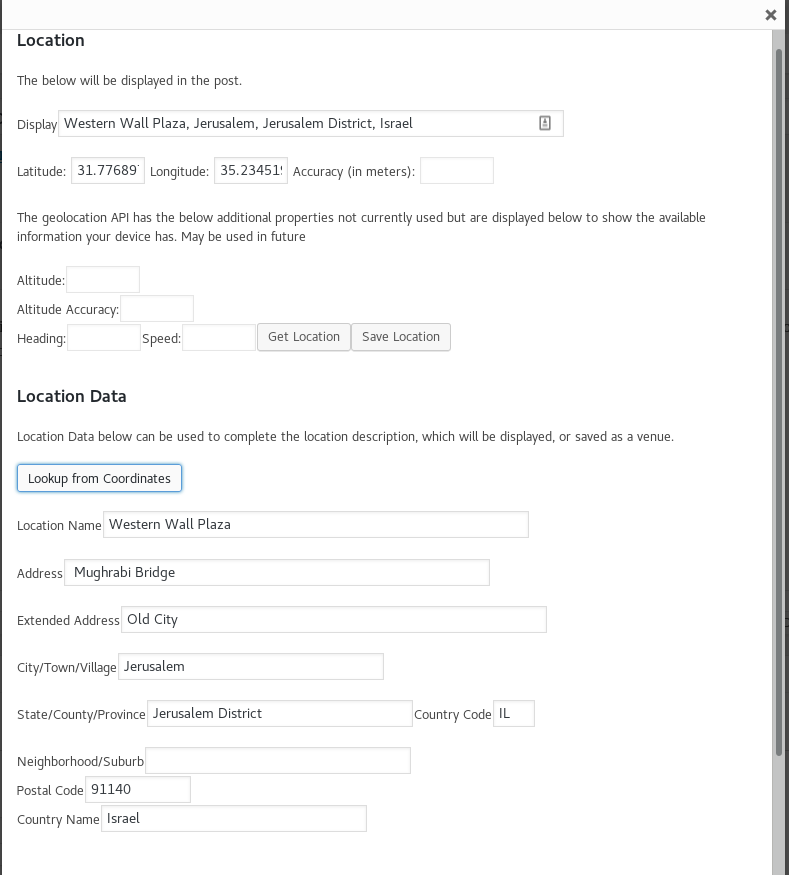
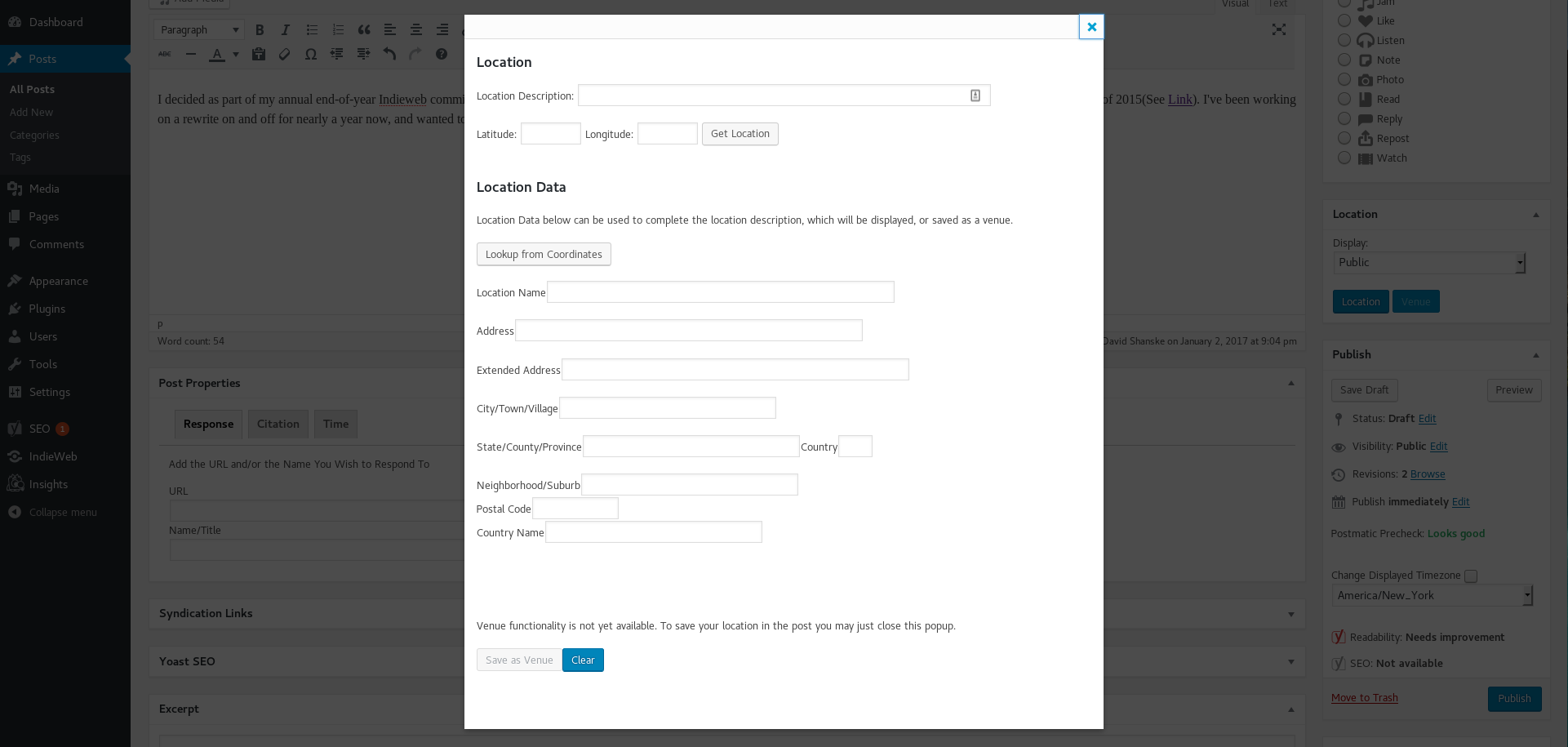
I decided as part of my annual end-of-year Indieweb commitment, to complete an update to the location services on my site. I originally announced location support on this site in April of 2015(See Link). I’ve been working on a rewrite on and off for nearly a year now, and wanted to finally release it.

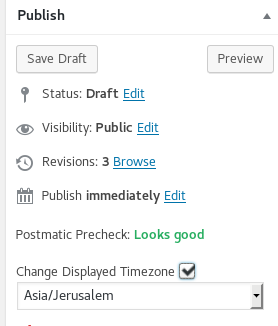
This post, for example, is set as if it was made at the Empire State Building.

Coming in the future is venue support. A venue is sort of the location equivalent of a bookmark. There are other names for it. It would allow more information about the location, and you would be able to view all posts associated with that location. This leads to what has become common on social media sites…the check-in. I used to store more information about the location in the post, and won’t be doing this anymore.

More to come on location and more, but I’m glad I got a version of this out. Thanks to Chris Aldrich for testing this out.


Lessons Learned from IndiewebCamp and WordCamp

For a little over two years, I have been involved in Indiewebcamp. This past weekend, for the first time in five years, I was able to attend WordCamp.

WordCamp NYC was a massive undertaking, to which I must give credit to the organizers. WordCamp was moved to coincide with OpenCamps week at the United Nations, which added security headaches to the fold as well. There were 500 attendees just for WordCamp alone. I have to congratulate them for their hard work.

By comparison, an Indiewebcamp is a smaller, more intimate affair that is happy to get 20 people. In a discussion with Shane Becker, who is organizing Indiewebcamp LA in November, he has a personal goal of getting a hundred people there. But more people makes for a very different conference than 20.

For me, the scale of WCNYC created problems. Contributor’s Day, the smaller pre-event for people interested in contributing to WordPress, found me in a room full of people interested in being involved in Core not interacting, sharing ideas, or picking each other’s brains…but mostly working independently. There were isolated pockets of people helping each other, but I felt that should have been what was encouraged. The equivalent at an IndiewebCamp is the Hack Day, where people announce at the beginning what they are thinking of working on, which encourages people who have similar interests to interact as they build something. And at the end, you present to all a demo of what you created.

For the panels at WordCamp, I found the speakers very engaged, but two tracks, one for users and one for developers led to a wide range in each room. WordCamp Orange County, the previous weekend, had four tracks. WordCamp Boston, next week, has three. On the first day, Designers, Developers, and Intro to WP/WP in Higher Education. The second day has Users/Writers, Business/Entrepreneurs, and a Contributor’s Day track.  That seems like an organization that appeals to me a bit more.

The appeal to me of IndiewebCamp sessions is that they are more interactive. You get to discuss an idea in more detail. I look forward to seeing how that might scale.

I enjoyed WordCamp, and it had a lot to offer. I suppose I am just looking for more opportunities to share interests inside the conference activities, instead of outside them.

Replied to http://stream.boffosocko.com/2016/david-this-is-some-excellent-code-for-adding-some-microformats (Chris Aldrich)

David, This is some excellent code for adding some microformats to @WordPress. Thanks @dshanske!

For those with less technical expertise, could I pose a few questions which you may or may not cover in part 2?

If I recall, there’s microformats version 1 and a more recent, updated microformats2. Most of what you’re adding here is the mf2 spec and not backwards compatible mf1 mark up, right?

When you say that a theme shouldn’t “style” hfeed or hentry, you mean that the CSS shouldn’t include these classes as they’re used only for semantic mark up and not meant to be used for CSS at all?

If hfeed is already added into a theme, do you recommend removing it from the theme code directly with search and replace (particularly if it wasn’t added in the correct place) and then adding it with the snippet you provided, or is it best to leave it in the theme and remove it from the code? If we remove it from the code you provided, which line(s) should we omit? What happens if it is duplicated (ie, what will the output look like, or what happens to parsers that read the code)?

What exactly are the post, body and comment class functions? What do they look like and where would one find them in a particular theme?

How is the code you’ve provided different from what the WordPress plugin uf2 does? Is it more or less extensive?

In the end, this is also just a stop-gap measure to quickly add a small, but high level subset of microformats to current themes that don’t support it? Ideally we would hope more modern themes will add a more full version of microformats natively?

  • Hfeed and hentry are classic microformats, and remain in this implementation. In most themes, hfeed is attached to a main div and should be removed in favor of the implementation provided. The advantage is that it can be modified.
  • CSS shouldn’t include microformats classes.
  • If you duplicate the same classes attached to different elements, it can mess up parsing.
  • Some of this is similar to the code in wordpress-uf2. wordpress-uf2 hasn’t been updated in a while and also uses ActivityStream as Microformats Vocabulary…h-as-page, h-as-article, which are not commonly used. This doesn’t include that. So, simpler, but taking advantage of changes in WordPress and Microformats.
  • This isn’t really a stopgap measure. This is how any theme would update its structure.
  • The post_class, comment_class, and body_class are functions that output standard classes for the body, post, and comment enclosures. They are not required, but have been around since WordPress 2.8, and are usually present in themes. It is a more dynamic way to add structure.

For most people, this is a simple way to add basic microformats structure that allows your site to be parsed by a microformats 2 parser. The second part will be covering some more complicated issues.

Why Microformats

I’ve spent some time on this site commenting on the use of various Indieweb concepts, but I haven’t really touched on Microformats. Microformats just turned 11 years old.

Microformats are human-readable markup that are easily human readable as well as machine readable. They appear as classes attached to HTML elements in webpages. The most popular alternatives to Microformat markup are things like schema.org, RDFa, etc.

The mistake people make is that it is overly technical. The vocabulary of the current iteration of the standard is simple. The below is a simple example. For example, h-card is the vocabulary for marking up people, organizations, and places. The below is a minimal h-card identifying name and associated URL.

<div class="h-card">
<h3 class="p-name">David Shanske</h3>
<a class="u-url" href="https://david.shanske.com">Website></a>
</div>

Then there is h-entry, which is used for individual posts on this site, or any episodic content. It is a equally easy, though like h-card, you can add more elements.

<div class="h-entry">
<time class="dt-published" datetime="2016-06-22T02:34:16-0400">June 22, 2016</time> <p class="e-content">This is my content</p> </div>

And so on. Not only does it identify…what is the content, what is the publish date, etc. in a way a human could realistically read enough to mark it up, it can be parsed and read by a computer. It is easy, if you understand HTML enough to read it, how to mark up the elements.

And then come the advantages. If parsers can read the elements of your site, they can interpret your intent. The community has developed vocabulary to indicate many relevant things, and put out programs, sites, and in my case, WordPress plugins that take this data and turns it into things like: ‘likes’, meaningful comments, event RSVPs, etc.

I’ve been posting articles on adding Microformats to a WordPress site. Once added, the site can be properly parsed, and can be used to do these things. How do I know? My site already does them.


Converting WordPress Themes for Microformats 2 – Part 1

I won’t claim to be a Microformats expert…but the below are some simple steps that can be taken to adjust a theme structurally for Microformat posts.

The below filters can be added to a theme’s functions.php, but you have to make sure that your theme uses the post, body, and comment class functions, and that it doesn’t style hfeed or hentry. Also, hfeed is often added to the theme, and should be removed to avoid duplication.


/**
 * Adds custom classes to the array of body classes.
 *
 * @param array $classes Classes for the body element.
 * @return array
 */
function body_classes( $classes ) {
	// Adds a class of hfeed to non-singular pages.
	if ( ! is_singular() ) {
		$classes[] = 'hfeed';
		$classes[] = 'h-feed';
	} else {
		if ( 'page' !== get_post_type() ) {
				$classes[] = 'hentry';
				$classes[] = 'h-entry';
		}
	}
	return $classes;
}
add_filter( 'body_class', 'body_classes' );
/**
 * Adds custom classes to the array of post classes.
 *
 * @param array $classes Classes for the body element.
 * @return array
 */
function post_classes( $classes ) {
	$classes = array_diff( $classes, array( 'hentry' ) );
	if ( ! is_singular() ) {
		if ( 'page' !== get_post_type() ) {
			// Adds a class for microformats v2
			$classes[] = 'h-entry';
			// add hentry to the same tag as h-entry
			$classes[] = 'hentry';
		}
	}
	return $classes;
}

add_filter( 'post_class', 'post_classes' );


Now the below adds microformats 2 classes to the avatar photo and to comments.

/**
 * Adds mf2 to avatar
 *
 * @param array             $args Arguments passed to get_avatar_data(), after processing.
 * @param int|string|object $id_or_email A user ID, email address, or comment object
 * @return array $args
 */
	function get_avatar_data($args, $id_or_email) {
	if ( ! isset( $args['class'] ) ) {
		$args['class'] = array( 'u-photo' );
	 } else {
		$args['class'][] = 'u-photo';
	 }
	return $args;
	}

add_filter( 'get_avatar_data', 'get_avatar_data', 11, 2 );

/**
 * Adds custom classes to the array of comment classes.
 */
function comment_classes( $classes ) {
	$classes[] = 'u-comment';
	$classes[] = 'h-cite';
	return array_unique( $classes );
}

add_filter( 'comment_class', 'comment_classes', 11 );

This allows for the simplest conversion of themes to the basic Microformats 2 structure. In the second part, we start moving into other more invasive modifications of the theme.

Timezone Offsets in WordPress Themes

There is an odd implementation detail of many themes that has created a parsing problem with timestamps. It is actually a WordPress/PHP issue. The below is an excerpt from _s(Underscores) that appears in a large amount of themes.

$time_string = sprintf( $time_string,
   esc_attr( get_the_date( 'c' ) ),
   get_the_date(),
   esc_attr( get_the_modified_date( 'c' ) ),
   get_the_modified_date()
);

The string in question is used in a generated line of HTML, which usually looks like something below.

<time datetime="2016-06-21T22:48:40+00:00">June 21, 2016</time>

A parser reading the above will read it as 10:48PM UTC/GMT. Assuming it converted that into local time, it would actually be 6:48PM EDT. However, in reality, I posted at 10:48PM Eastern Time. It just omitted the timezone offset, putting in +00:00.

The timezone offset is properly shown if you replace ‘c’ with DATE_W3C or DATE_ATOM. The alternative is to add the date in as GMT.  Without proper timezone offsets, posts will be parsed as being at the wrong time.

Related:

https://core.trac.wordpress.org/ticket/25768

https://core.trac.wordpress.org/ticket/20973


Why Webmentions in WordPress

I had originally wrote this on January 27th, as part aof an email exchange between myself and the WP Tavern. However, after being told by Jeff Chandler, contributing writer for the site, that he was away and would discuss the matter further in March, I received no further word. After the site posted a somewhat inaccurate article on webmentions on March 18th, I commented to them again that I was disappointed that the article was not checked for accuracy. Again, no response. So I am posting my January 27th article and withdrawing from WP Tavern’s request for exclusivity on any such article due lack of response on their part. The dialogue on Webmentions in WordPress continues.


Over the last few years, as the smartphone has become more popular, we’ve moved from being excited about notifications to being worried about notification overload. Companies are hoping to get more data on us so they can tailor their interactions with us. We install analytics on our websites to determine how many visitors we get and what they did on our sites. At its simplest level, a linkback is a way of having a site(the sender) notify another site(the receiver) when it links to it. It sounds like something we would want to know and would have many potential uses.

WordPress has two built in linkback protocols: Trackback and Pingback. To many users, they seem like the appendix of WordPress. People don’t care about them until they are exploited by bad actors. There is a newer protocol, the first linkback protocol to be accepted as a draft specification from the W3C, the main standards organization for the Internet, called Webmention.

Webmention improves upon the previous protocols. It uses an HTTP POST request to send two parameters…the source and target URL. By comparison, trackback, which also uses HTTP, only sends the source URL and does nothing in its WordPress form to verify the trackback is legitimate. Pingback, like webmention, sends both source and target, but it uses XML-RPC as opposed to a POST request. XML-RPC has had some controversy around it as well. There are also several practices that are recommended by the Webmention specification that would make an implementation more robust than the implementations of Trackback and Pingback.

WordPress has a longstanding reputation of commitment to backward compatibility and isn’t going to flick the switch and remove pingback and trackback code from WordPress Core so easily, with or without a replacement.  It makes sense to make improvements to the older protocols concurrently with adopting webmentions, although it would also be a good idea to consider gradually deprecate the older protocols in favor of webmentions. Trackbacks have no source validation built into WordPress as it was not part of the original specification. The pingback code could use some love. However, with some refactoring, new webmention code could be used to update the older pingback/trackback code as well. This would create a better linkback system overall.

Even if webmention is a better delivery system for linkbacks than its predecessors, no one but a developer cares about protocols. People care about what it can do for you. All of the protocols converge in one place. Once you know a site has linked to you, what do you do with that information? That is where the exciting parts come in and where WordPress falls flat.

If one person would like to speak up in favor of the presentation of […]Useless Context. […], I’d love to hear it. The burden of presentation and use in a linkback relationship goes to the receiver and can be infinitely extensible. What WordPress lacks is a good base presentation for people to enhance and some innovative examples from the community of usage. If you can parse a page of HTML, you can come up with richer content and relationships by marking up the elements of a post with Microformats. WordPress already has some microformats embedded in most WordPress sites and supporting in many themes, and there are other efforts that can be made to better improve this side of things. But there are limitless possibilities, for example:

  • Want to reply to a post on WP Tavern on your own site? Send a webmention(or more archaic protocol) to WP Tavern with the URL of your reply. WP Tavern could parse your site and generates an actual comment from it.
  • Why only a reply? What about other types of relationships? Liking a post, for example?
  • Even just simple administrator stats can be interesting and useful.

So, why not do all of this with an API? We have a new one coming into WordPress…and that’s a great thing I’m fully in favor of. But reading content from a website using an API creates a burden on both sides of the relationship. I have to write an API and you have to learn how to use it if you want to interface with my site. Why shouldn’t your website be your API?

If you are interested in trying webmention support, there is a basic plugin for WordPress. There is even a second plugin that uses Microformats2 plus linkbacks to generate richer comments. Both of these can be used to develop the more robust implementation that would be required for WordPress Core. For more information on how people have been using webmentions, visit IndieWebCamp.


Comment Improvements in WordPress 4.4/4.5

The below notes are for myself, as much as anyone else. These are changes to WordPress recently related to proposals and tickets I opened. In order to take advantage of them, I do need to refer to literature…and there isn’t none.

Insert Comment with Meta

wp_insert_comment has a modification that allows comment meta to be added to a comment at the time it is created.


    // If metadata is provided, store it.
    if ( isset( $commentdata['comment_meta'] ) && is_array( $commentdata['comment_meta'] ) ) {
        foreach ( $commentdata['comment_meta'] as $meta_key => $meta_value ) {
            add_comment_meta( $comment->comment_ID, $meta_key, $meta_value, true );
        }
    }
 So, if there is an array in $commentdata called comment_meta, save those keys as comment_meta.
Changes due Pingback
In WordPress 4.5, a slight change will allow the retrieved source code of a site that has sent a pingback to WordPress to be accessible in $commentdata as ‘remote_source_original’. But more importantly, there is now a pathway to access this data in action ‘comment_post’
        do_action( 'comment_post', $comment_ID, $commentdata['comment_approved'], $commentdata );
Comment Notification Changes
A lot of this came out of a problem I had last June where updates to comments to make them more rich…in this case pingbacks/webmentions/etc were happening after the notification was sent out. So now, notifications also are triggered by ‘comment_post’.
What Do I Want to Build?
All of these little changes serve to enhance the work I’ve been trying to do with webmentions.

Post Kinds Improvements

For those who have been following my Indieweb activities, I have for a little over a year been developing a WordPress plugin called Post Kinds.  The plugin is based on the built-in Post Formats feature, but focuses on different types of specialized post types or kinds. I figured I would motivate myself by writing out some of the improvements under development.

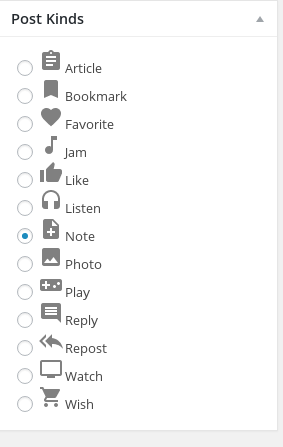
Picking the right icons to represent the kinds has always been a challenge, because they were part of an icon font. Icon fonts are ‘fake’ fonts that are actually composed of symbols. The latest version of Post Kinds under development switches to SVG. SVG is a text format that defines a complex shape. As it is text, it can be embedded directly in the page. You can compare the two below.


newpostkinds
New Post Kind Icons
Old Post Kind Icon Font

Version 2.3.0

  • Enable the Jam post type. A Jam is used to share a particularly meaningful song you are listening to. distinguished from the existing Listen type, which is a more passive type designed to store songs you have listened to.
  • Support for start and end date, which will be used to enhance activity kinds. This will prepare for support for events, travel, and exercise in a future version. I really want to build travel in soon, but I have a lot to put in before all the pieces come together.
  • Improvements in parsing to bring in better and more consistent data from URLs provided.
  • Help within the plugin. This will be the first version to add built-in help.

This version will not go out until the above, as well as improved presentation(which I’m currently building) are complete. I’ve been working on the presentation rewrite for over a week now, trying to make it a significant improvement over the previous incarnation.

Tim
Time